
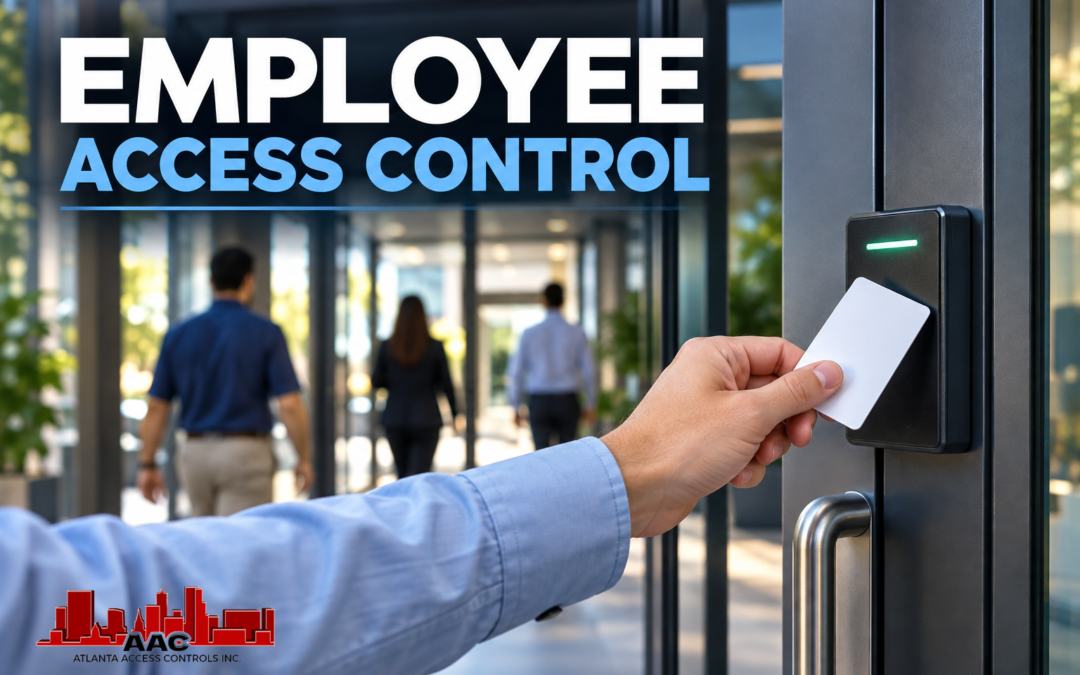
Employee access control gives Atlanta businesses a practical way to manage who can enter specific doors, work areas and restricted spaces without relying entirely on traditional mechanical keys. Instead of giving every employee the same level of access, a properly designed system can assign permissions according to each person’s responsibilities, work schedule and legitimate need to enter particular areas.
That distinction becomes increasingly important as a business grows. An employee who needs access to the main entrance and general office areas may have no reason to enter an IT room, records area, warehouse or executive office. Managers may require broader permissions, while contractors and temporary personnel may need access only to specific doors during limited hours. Electronic access control allows those differences to become part of the system rather than depending on how many physical keys have been distributed.
For Atlanta businesses, the objective is not to make everyday entry complicated. Effective employee access control should make authorized movement practical while giving management greater control over entrances and restricted areas. The system can then evolve as employees, schedules and business operations change.
Employee Access Control Starts With Who Needs Access
One of the first steps in planning employee access is determining who actually needs to enter each controlled area. This sounds straightforward, but many organizations discover that access permissions have developed informally over time. Employees change departments, responsibilities expand, managers transfer locations and contractors complete projects, yet their access privileges may not always change with them.
A more deliberate approach begins with job responsibilities. Employees should receive access appropriate to the areas they need to perform their work. That does not necessarily mean creating a unique access plan for every individual. Businesses can often organize employees into logical groups based on department, location, job function or another operational requirement.
For example, general office employees may need the main employee entrance and common work areas during normal business hours. Accounting personnel may also require access to financial records, while IT staff may need entry to network or equipment rooms. Warehouse personnel may require access to shipping, receiving and inventory areas that office employees rarely need to enter.
The purpose is not to restrict employees unnecessarily. It is to align access with actual responsibilities so the organization has a more manageable way to control its doors.
Individual Credentials Create More Manageable Access
Electronic access control generally works best when authorized users receive individually assigned credentials. Depending on the system and the organization’s credential strategy, that may include an access card, key fob or compatible mobile credential.
The credential identifies an authorized user to the access control system, while the permissions assigned to that credential determine which doors can be used and when. This separation is important because possessing a credential does not have to mean having access everywhere.
Individually assigned credentials also make changes easier to manage. If an employee loses a card or fob, that specific credential can generally be disabled without affecting everyone else. If an employee changes positions, the organization can modify the person’s permissions rather than issuing an entirely different set of mechanical keys.
Businesses evaluating credential options should consider how those credentials will be issued, replaced and managed over time. The appropriate choice may include physical credentials, mobile credentials or a combination depending on the workforce and installed access control equipment. These considerations are explored further in Atlanta Access Controls’ discussion of mobile credentials, keycards and fobs.
Access Groups Can Simplify Administration
As the number of employees and controlled doors increases, managing every permission individually can become unnecessarily complicated. Access groups can provide a more practical structure by allowing people with similar responsibilities to receive appropriate permissions based on their role.
A business might establish one access group for general employees, another for managers and additional groups for departments that require entry to specialized areas. A warehouse operation could distinguish between office personnel, warehouse employees, supervisors and employees responsible for high-value inventory. The exact structure should reflect how the organization actually operates.
This approach can make employee changes easier to administer. When a new employee joins a department, the appropriate access profile can provide a starting point for the permissions associated with that role. If an employee transfers to another department, permissions can be reviewed and adjusted to match the new responsibilities.
Access groups should not become a substitute for thoughtful administration, however. Organizations still need to determine whether each group has appropriate permissions and whether exceptions are genuinely necessary. Over time, adding access without periodically reviewing what is already assigned can gradually create broader permissions than the business originally intended.
Schedules Add Another Layer of Control
Where an employee can enter is only one part of access management. Businesses may also need to consider when that access should be available.
An employee who normally works during weekday business hours may not require the same access during evenings or weekends. Cleaning personnel, contractors or service providers may need entry during specific windows. Managers or designated personnel may require broader schedules because their responsibilities extend beyond normal operating hours.
Access control systems can use schedules to help align permissions with those operating requirements. Rather than treating every authorized credential as continuously valid at every assigned door, the system can be configured according to the capabilities of the platform and the organization’s policies.
Schedules should be designed around real operating conditions. Restrictions that are too broad provide little additional control, while schedules that are unnecessarily narrow can interfere with legitimate work. Businesses should consider normal working hours, shift changes, overtime, holidays, after-hours activity and emergency operating procedures when developing an access plan.
Access Permissions Should Change When Employees Change
Employee access control is not a one-time configuration. Businesses continually hire employees, change responsibilities, reorganize departments and separate personnel. The access control system should be administered with those changes in mind.
When a new employee begins work, access should be based on the person’s actual responsibilities rather than simply copying another employee’s permissions without review. Promotions and transfers should trigger another look at access because the employee may need new permissions while no longer requiring some of the old ones.
The same principle applies when employment ends. Credentials and permissions associated with departing employees should be addressed as part of the organization’s normal offboarding process. Guidance from the Cybersecurity and Infrastructure Security Agency (CISA) emphasizes the broader importance of controlling physical access to facilities and limiting access to authorized individuals.
Connecting employee changes with access administration helps prevent old permissions from simply accumulating over time. It also prepares the business for one of the most important parts of employee access control: establishing consistent procedures for lost credentials, departing employees and periodic access reviews.
Lost Credentials Need a Clear Response
Lost cards, misplaced key fobs and missing mobile devices are part of managing an employee access control system. The important issue is not whether a credential will ever be lost, but whether the business has a consistent process for responding when it happens.
When credentials are individually assigned, a lost card or fob can generally be identified and disabled without changing access for everyone else. A replacement credential can then be enrolled and assigned the appropriate permissions. Mobile credentials can provide similar administrative options when supported by the access control platform, although the exact procedure depends on the system being used.
Employees should know whom to contact when a credential is missing and should report the loss promptly rather than waiting to see whether it turns up. The person responsible for administering the access control system should also have a defined procedure for disabling the affected credential, documenting the change and issuing a replacement when appropriate.
This provides an important advantage over a traditional mechanical key. When a key is lost, the business may not know who possesses it or whether it has been copied. Depending on the circumstances, restoring control may require rekeying affected locks and distributing new keys. An individually managed electronic credential can generally be removed from the system without requiring every other employee to receive a replacement credential.
Employee Offboarding Should Include Access Control
When an employee leaves an organization, physical access should be addressed as part of the offboarding process. Collecting a card or fob is useful, but returning the physical credential should not be the only step. The associated credential should also be disabled or removed according to the organization’s procedures.
This matters because access control is based on what the system recognizes as valid. A credential that remains active can potentially continue to request access even if the organization believes the physical card has been returned. Deactivating the credential provides a more deliberate end to the former employee’s authorization.
The timing of that change should reflect the circumstances and company policy. A scheduled departure may allow administrators to coordinate credential changes with the employee’s final workday. Other situations may require access to be removed immediately. Human resources, management, IT and security personnel may all have responsibilities in the process depending on the size and structure of the organization.
A consistent offboarding procedure can also include other forms of access. Building credentials, alarm codes, network accounts, keys and other company-controlled permissions may be administered through different systems, but they can all be considered when an employee leaves. This reduces the likelihood that one type of access remains active simply because responsibility for removing it was unclear.
Temporary Access Should Have a Defined Purpose
Not everyone who needs to enter a business is a permanent employee. Contractors, vendors, service technicians, temporary personnel and other authorized visitors may need access to particular areas for a limited period of time.
Giving temporary personnel the same permissions as permanent employees can create unnecessary exposure. Instead, access can be matched to the work being performed. A contractor working in one portion of a facility may need a particular entrance and work area without needing access to offices, records rooms or other restricted spaces.
Schedules can be particularly useful in these situations. When supported by the system, temporary credentials can be assigned access during the hours when work is expected to occur rather than remaining usable at all times. Permissions can also be reviewed when the project or service work is complete.
The same principle applies to recurring vendors. A company that receives regular deliveries or scheduled service visits may want to create an access procedure that supports those operations without unnecessarily expanding access throughout the facility. The goal is to provide enough access for legitimate work while maintaining control over areas that are not part of that work.
Periodic Access Reviews Help Control Permission Creep
Even a well-designed access plan can become less effective if permissions are continually added but rarely reviewed. Employees change positions, departments reorganize and temporary exceptions sometimes remain in place longer than originally intended. Over time, this can create what is often described as permission or privilege creep.
A periodic review gives the organization an opportunity to compare existing permissions with current responsibilities. Managers can determine whether employees still require the doors and schedules assigned to them, whether former contractors remain in the system and whether temporary access should be removed.
The review does not necessarily require rebuilding the entire access control database. It can be approached systematically by department, access group, location or another structure that makes sense for the organization. The important point is that access should not be assumed to remain appropriate indefinitely simply because it was appropriate when originally assigned.
This principle is consistent with the broader concept of limiting access to what a user actually requires. The National Institute of Standards and Technology (NIST) definition of least privilege describes restricting privileges to the minimum necessary to accomplish assigned tasks. Although the concept extends beyond physical access control, it provides a useful framework for thinking about employee permissions: access should have a legitimate purpose and should be reviewed when that purpose changes.
Access Control Records Can Support Administration
Electronic access control systems can also provide records associated with credential activity. Depending on the platform and configuration, administrators may be able to review events showing when a credential was presented, the controlled opening involved and whether access was granted or denied.
These records can help administrators investigate questions about access or identify patterns that deserve attention. They can also help confirm whether a credential is functioning as expected after permissions have been changed. The usefulness and retention of event information depend on the particular access control platform and the organization’s policies.
Access records should not be confused with proof of a person’s actions after entering an area. The system records the credential event. If a card or fob is shared, the system may identify the credential without establishing who was physically carrying it. This is another reason individually assigned credentials and policies against credential sharing are important.
When a business needs greater situational awareness, access control can also be planned alongside other commercial security technologies. Video surveillance, intrusion detection, visitor entry and other systems can serve different roles while contributing to a broader security strategy. The objective is not simply to collect more information, but to design systems around the risks and operational requirements of the facility.
Employee Access Control Needs an Owner
Technology alone does not determine whether employee access remains well managed. Someone within the organization needs responsibility for adding users, changing permissions, disabling credentials and coordinating access changes with management or other departments.
For a smaller business, that responsibility may belong to an owner, office manager or designated administrator. A larger organization may involve security, facilities, human resources or IT personnel. Regardless of organizational structure, clearly assigning responsibility helps prevent access changes from being delayed because everyone assumes someone else is handling them.
Administration should also include a process for approving exceptions. An employee may occasionally need temporary access outside normal hours or to an area that is not ordinarily part of the person’s responsibilities. Those situations can be accommodated without automatically making the exception permanent.
Once responsibilities and procedures are established, the next question is how the access control system should support the physical facility itself. Entrances, interior restricted areas, multiple buildings and changing business operations all influence how employee access should be designed and maintained over time.
Design Employee Access Around the Facility
Employee access control should reflect the way people actually move through a commercial property. The main employee entrance may be the most visible controlled opening, but it is rarely the only location that deserves consideration. Interior doors, warehouse entrances, administrative areas, equipment rooms and other restricted spaces can have different access requirements even when they are located within the same facility.
Planning should therefore begin with the business rather than the hardware. An office may need to separate public reception areas from employee workspaces. A warehouse may need different permissions for shipping, receiving, inventory and administrative areas. A healthcare or professional facility may have records, medication, equipment or other spaces that should not be accessible to every employee simply because that person is authorized to enter the building.
This approach helps avoid a common mistake: treating access control as a collection of electronic locks rather than a system for managing movement through a facility. Each controlled opening should have a reason for being controlled, and the people who can use it should have a legitimate operational reason for that access.
Multiple Buildings Create Additional Access Questions
Businesses operating more than one building or location have another set of decisions to make. Employees may work primarily at one facility but occasionally need access to another. Managers, maintenance personnel and other employees may regularly move between locations, while some personnel should remain limited to a single building.
A coordinated access strategy can make those differences easier to manage. Rather than automatically giving every employee access to every location, permissions can be based on responsibilities. Employees who genuinely work across multiple facilities can receive the access they require, while others remain assigned to the locations relevant to their jobs.
Expansion is also an opportunity to review the technology already in place. A company adding a new building may want employees to use the same credential at both facilities, but that depends on reader compatibility, credential technology, controllers and the access control platform. Those questions are easier to address during planning than after new equipment has already been installed.
For organizations considering broader changes, Atlanta Access Controls’ commercial access control information provides additional context for planning controlled doors as part of a larger business security strategy.
Access Control and Video Surveillance Serve Different Roles
Access control can record that a credential was presented at a controlled opening, but that does not make it a replacement for video surveillance. The two technologies answer different questions.
An access control event can indicate which credential was used, where it was presented and whether access was granted or denied. Video can provide visual context around an event. When properly planned, the two systems can complement one another without assuming that either system performs the other’s job.
This distinction can be useful when investigating an unusual access event. A record associated with an employee’s credential does not necessarily prove who was physically holding that credential, particularly if employees share cards or fobs despite company policy. Video coverage near important entrances or restricted areas may provide additional context when an incident needs to be reviewed.
Businesses should determine where that additional visibility is useful rather than assuming every controlled door requires a camera. Entrances, high-value areas, loading locations and other higher-risk spaces may deserve different consideration than routine interior openings. The security design should reflect the facility’s actual risks and operational needs.
Plan for Power and System Continuity
Employee access control also depends on the supporting infrastructure behind the readers and controlled doors. Controllers, locking hardware, network equipment and power supplies can all affect how the system operates, so planning should include what happens when normal building power is interrupted.
Commercial access control systems commonly use power supplies with battery backup or other standby-power arrangements for appropriate system components. The amount of backup time is not universal. Available standby time depends on factors such as battery capacity, the electrical load of the connected equipment, the condition and age of the batteries, and how long normal power remains unavailable.
Door operation during a power loss also depends on the locking hardware, system design, life-safety requirements and applicable codes. Fail-safe and fail-secure locking arrangements behave differently when power is removed, so these decisions should be made as part of the complete door and access-control design rather than based only on convenience.
Backup power should therefore be considered during system planning rather than after an outage exposes a weakness. The objective is to understand which components require standby power, how much load the power supply is supporting and how the controlled openings are intended to operate during abnormal conditions.
Employee Access Control Should Grow With the Business
A system that works well for a company today should not become an obstacle when the organization changes. New employees, additional departments, expanded operating hours and new facilities can all affect access requirements. Planning for those possibilities can make future changes easier to manage.
That does not mean a business needs to purchase equipment for every possible future expansion. It means considering whether the selected access control platform can reasonably accommodate expected growth and whether the credential and reader strategy supports the direction of the organization.
Businesses should also consider how the system will be supported after installation. Readers, locking hardware, controllers and other components may eventually require troubleshooting, adjustment or replacement. Administrative questions can arise as employees and permissions change. An access control system is an operating business system, not simply equipment installed at the door.
Build an Access Plan Around People, Doors and Policies
Effective employee access control brings together three things: the people who need access, the doors and areas they need to use, and the policies that determine when that access is appropriate. Cards, fobs, mobile credentials and electronic readers provide the technology, but the value of the system comes from how those components are organized around the business.
For Atlanta businesses, that process can begin by identifying controlled openings, grouping employees according to legitimate access needs and establishing procedures for issuing credentials, responding to lost credentials, changing permissions and removing access when employment or responsibilities change. Periodic reviews can then help keep those permissions aligned with current operations.
The result should be a system that supports employees rather than getting in their way while still giving management greater control over restricted areas. When the access plan reflects actual business operations, employee access can remain manageable even as personnel, schedules and facilities change.
If your organization is planning a new access control system, expanding an existing installation or reviewing employee permissions that have become difficult to manage, Atlanta Access Controls can help evaluate the doors, users, credential options and operating requirements involved. The goal is to develop an access strategy that fits the way your business operates today while providing a practical path for future changes.