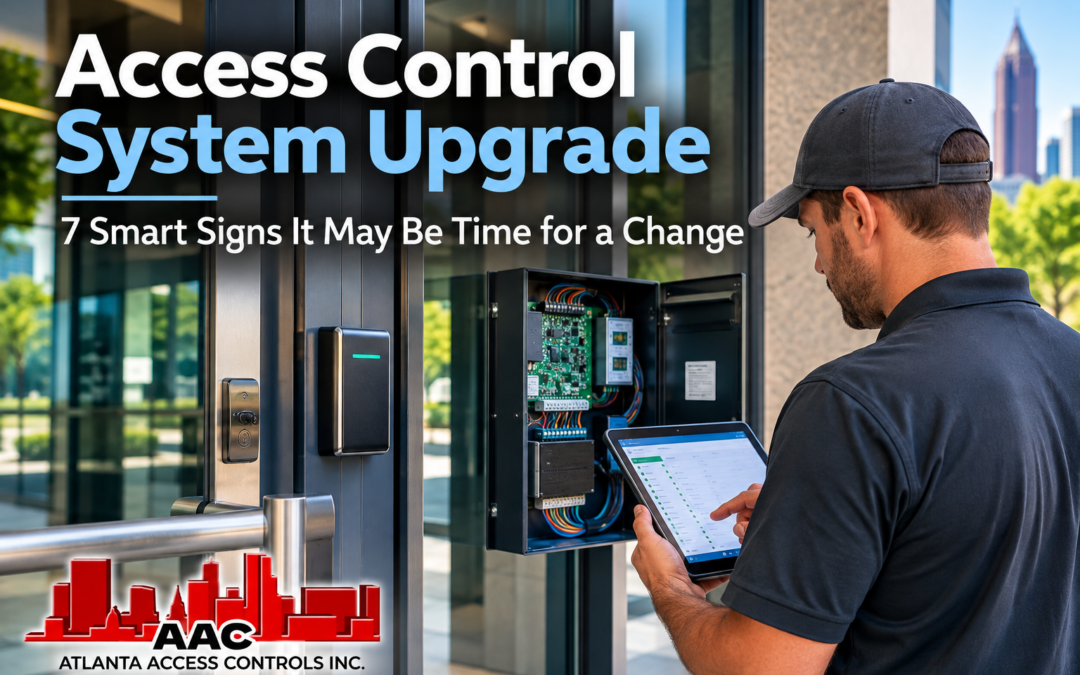
Access Control System Upgrade decisions often begin when a commercial system still works, but no longer works as well for the business as it once did. An organization may be dealing with aging equipment, difficult credential management, limited expansion capacity, recurring service issues, or a growing need for remote administration. None of those conditions automatically means the entire system should be replaced.
Commercial access control systems can remain in service for many years, and portions of an existing installation may continue to provide useful value. Readers, controllers, wiring, locking hardware, power equipment, and credentials all have different lifecycles and compatibility considerations. A system assessment can help determine what is still useful, what has become a limitation, and where changes would provide a practical operational benefit.
For that reason, upgrading should not be treated as another word for replacement. Depending on the existing equipment and the organization’s needs, the appropriate direction could be a repair, an expansion, selective modernization, a phased transition, or eventually a complete replacement.
Atlanta Access Controls works with both current and legacy commercial security systems throughout Metro Atlanta and North-Central Georgia. This guide examines seven signs that may indicate it is time to evaluate an existing access control system and, more importantly, how to determine what type of change actually makes sense.
Table of Contents
- When Does an Access Control System Upgrade Make Sense?
- Sign 1: Your Existing System Is Becoming Difficult to Support
- Sign 2: You Need More Doors, Buildings or Locations
- Sign 3: Managing Credentials Takes Too Much Time
- Sign 4: Remote Management Has Become Important
- Sign 5: Your Current System Does Not Work Well With Other Security Needs
- Sign 6: System Reliability Is Affecting Daily Operations
- Sign 7: Your Business Has Outgrown the Way the System Was Originally Designed
- Repair, Expand, Modernize or Replace?
- What Can Sometimes Be Reused During an Upgrade?
- How to Prepare for an Access Control System Assessment
- Planning Your Next Step With Atlanta Access Controls
When Does an Access Control System Upgrade Make Sense?
An access control system upgrade makes sense when the existing system begins creating operational limitations that matter to the organization. The important word is limitations. Equipment does not necessarily need to be replaced simply because it is older or because newer technology is available.
A system installed years ago may continue controlling doors reliably and still satisfy the organization’s requirements. In that situation, replacing it simply to obtain newer equipment may provide little practical benefit. On the other hand, a functioning system can become increasingly difficult to support, expand, administer, or integrate into changing business operations.
The decision should therefore begin with the problem the organization is trying to solve.
Perhaps replacement components have become difficult to obtain. Maybe the company is adding another building and the existing platform cannot expand economically. Employee turnover may be making credential administration cumbersome. Management may now be responsible for several locations and want appropriate remote-management capabilities. Recurring equipment problems may also be consuming service time and disrupting normal operations.
These situations justify an evaluation, but they still do not predetermine the outcome.
A useful assessment separates the system into its major components and considers their condition, compatibility, supportability, and role in the organization’s future plans. This approach can reveal that some components should remain while others have become obstacles.
Businesses that need a broader understanding of commercial access-control planning can also review Atlanta Access Controls’ Access Control Systems Atlanta guide, which explains system management, credentials, gates, integration, costs, installation, and long-term planning in greater detail.
Sign 1: Your Existing System Is Becoming Difficult to Support
One of the clearest reasons to evaluate an existing access control system is increasing difficulty keeping it operational and supported.
That does not mean a system has reached the end of its useful life simply because of its age. Older equipment can remain dependable when replacement components are available, the software remains usable, and qualified service technicians can continue supporting the platform.
The concern grows when those conditions begin to change.
Replacement controllers, readers, or other proprietary components may become harder to obtain. Older management software may depend on operating systems or computer hardware that the organization no longer wants to maintain. Manufacturer support may change, or expansion components may no longer be readily available for the installed platform.
Documentation can become another problem. Commercial buildings sometimes change owners, facility managers, IT personnel, or security providers over the life of an access control system. Years later, the organization may have limited information about the original installation, programming, wiring, credentials, or system configuration.
None of these conditions alone proves that complete replacement is necessary. They do indicate that the business should understand the risks of continuing with the existing platform and determine whether a planned transition would be preferable to waiting for a significant failure.
A planned evaluation also gives the organization time to investigate compatibility. Existing door hardware, wiring, readers, credentials, power supplies, and other components may not all need to change at the same time. Identifying reusable infrastructure can significantly affect the scope of a modernization project.
Sign 2: You Need More Doors, Buildings or Locations
Business growth can expose limitations that were not important when an access control system was originally installed.
A system designed for a few controlled doors in one building may have been completely appropriate at the time. Years later, the organization may want to add another entrance, warehouse, floor, parking gate, or separate business location.
The first question should be whether the existing platform can accommodate that expansion.
Some systems can be expanded by adding controllers, readers, licenses, or other appropriate components. Others may have practical limitations related to capacity, networking, software, available hardware, or the way multiple locations are administered.
The organization should also consider how expansion affects management. Adding ten doors is not simply a hardware change if administrators now have to manage additional employees, schedules, access groups, contractors, or locations.
Multiple facilities can make centralized administration more valuable. A company may want authorized personnel to manage users across locations without maintaining completely separate processes at every property. Whether the existing platform can support that goal depends on the system and its configuration.
Expansion therefore creates an opportunity to evaluate both capacity and administration. If the existing system can grow economically and still meet operational requirements, expansion may be the appropriate path. If every addition requires increasingly complicated workarounds, broader modernization may deserve consideration.
Sign 3: Managing Credentials Takes Too Much Time
Access control is not only about what happens when someone presents a credential at a door. A significant part of the system’s long-term value comes from how easily administrators can manage the people using it.
Employees are hired, promoted, transferred, and terminated. Contractors begin and complete projects. Credentials are lost. Business hours change. Departments move to different areas. Temporary personnel may need access for only a limited period.
If routine changes require excessive administrative effort, the system may no longer match the organization’s operating needs.
Credential problems can take several forms. Administrators may have difficulty determining which permissions users already possess. Access groups may have accumulated over time without a clear structure. Lost cards or fobs may not be removed promptly. Multiple facilities may maintain separate user records that require repetitive updates.
Newer credential options can also create reasons to evaluate the existing system. Some organizations may want mobile credentials, different card technologies, keypad options, or a combination of credential methods. Whether those options can be introduced depends on the existing readers, controllers, software, and selected platform.
The goal should not be to adopt a newer credential simply because it is newer. The goal is to make credential administration practical for the organization while providing users with an appropriate way to access the areas they are authorized to enter.
When credential management has become a recurring administrative burden, the business should evaluate whether better organization within the existing system can solve the problem or whether the platform itself has become part of the limitation.
Sign 4: Remote Management Has Become Important
An access control system may have been designed at a time when managing it from a workstation inside the building was completely adequate. As organizations grow, however, the people responsible for security and facility operations may no longer spend all of their time at one location.
A property manager may oversee several buildings. A facilities director may travel between offices. An administrator may need to respond to a lost credential or changing access requirement without returning to the facility simply to reach the access control workstation.
Those situations can make remote administration worth evaluating.
Depending on the platform, cloud-managed or remotely accessible access control can allow authorized personnel to perform supported administrative functions from other locations. Those functions may include managing credentials, adjusting permissions, reviewing activity, or administering multiple facilities through a centralized interface.
Remote management should not be treated as an automatic reason to replace a functioning system. The first question is whether remote administration solves a real operational problem for the organization.
If it does, the next step is determining whether the existing system can provide that capability appropriately or whether modernization is required. Network architecture, software, licensing, cybersecurity requirements, manufacturer support, and the features of the selected platform can all affect that decision.
The organization should also decide who actually needs remote administrative access. Providing convenient management does not mean every administrator requires the same level of authority. Roles and responsibilities should remain part of the planning process regardless of where the management interface is located.
Sign 5: Your Current System Does Not Work Well With Other Security Needs
Commercial security systems are often installed at different times. A business may have one access control platform, another video surveillance system, a separate gate operator, an intercom, and an alarm system that were selected years apart.
That is not automatically a problem. Separate systems can continue serving an organization effectively when they meet the required operational needs.
The reason to evaluate modernization arises when the separation itself begins creating limitations.
For example, an organization investigating an access event may want an easier way to associate activity at a controlled opening with relevant video. A property with vehicle gates may want credential management to fit more logically with building access. A visitor-entry process may need to coordinate more effectively with how authorized personnel grant access.
The appropriate level of integration depends on the equipment and platforms involved. Two security products should never be assumed compatible simply because both are network-connected or relatively new.
Before replacing equipment, an integrator should determine what the organization actually wants the systems to accomplish together and whether the existing platforms can support that outcome. Sometimes configuration or selective equipment changes may address the requirement. In other situations, compatibility limitations may become one reason to consider broader modernization.
Atlanta Access Controls provides access control along with video surveillance, gated entry, visitor-entry systems, alarms, and ongoing service. That broader perspective can be useful when an existing access control system needs to be evaluated as part of the facility’s overall security operation rather than as an isolated piece of equipment.
Sign 6: System Reliability Is Affecting Daily Operations
An occasional service call does not necessarily mean an access control system should be replaced. Commercial security equipment requires maintenance, and individual components can fail without indicating a problem with the entire platform.
A different situation develops when recurring problems begin interfering with normal operations.
Employees may repeatedly report credentials that do not work as expected. A particular opening may experience intermittent reader or locking problems. Controllers or communication equipment may require repeated attention. Administrators may find themselves relying on temporary workarounds because the underlying problem has not been resolved.
Before attributing these problems to the access control platform, the system should be properly evaluated.
The source may be the reader, credential, locking hardware, door alignment, power supply, wiring, network connection, controller, software, programming, or another part of the installation. A door that does not mechanically close correctly, for example, is not necessarily evidence that the access control software needs replacement.
This distinction matters because replacing the wrong component wastes money without solving the actual problem.
Service history can provide useful context. If the organization is repeatedly repairing the same components, struggling to obtain replacement equipment, or experiencing failures across several parts of an aging installation, the cumulative cost and disruption may justify comparing continued repair with modernization.
The decision should consider more than the cost of the next service call. It should also consider reliability, equipment availability, administrative burden, operational disruption, and how long the organization expects the existing system to meet its needs.
Sign 7: Your Business Has Outgrown the Way the System Was Originally Designed
Sometimes the strongest reason to change an access control system has little to do with equipment failure.
The business itself has changed.
A system originally installed for one office and a small group of employees may now support multiple departments, shifts, buildings, tenants, contractors, or locations. The organization may have added restricted areas, parking gates, warehouses, or other spaces that were never part of the original design.
Administrative responsibility may have changed as well. What one office manager once handled informally may now involve facilities personnel, human resources, IT, security staff, property managers, or administrators in several locations.
The original access groups and schedules may no longer reflect how people actually use the facility. Years of additions and exceptions can leave administrators with a system that technically functions but has become unnecessarily difficult to understand and maintain.
This is an important distinction because the hardware may still be working.
When the organization has outgrown the original design, the first step may be to review users, access groups, schedules, doors, administrative roles, and business processes. Reorganizing the existing system may solve some problems without major hardware changes.
If the existing platform cannot reasonably support the new operating model, however, modernization may provide value even though the original equipment has not completely failed.
The question becomes less about the age of the system and more about whether it still fits the organization it is supposed to serve.
Repair, Expand, Modernize or Replace?
Recognizing a problem does not answer the most important question: What should the business actually do about it?
There are four broad paths an organization may consider when an existing access control system no longer fully meets its needs: repair it, expand it, modernize selected portions, or replace it.
Repair the Existing System
Repair may be the most practical choice when the existing platform continues meeting the organization’s needs and the problem is limited to a serviceable component or condition.
A failed reader, power supply, locking device, network connection, or other component does not necessarily justify replacing the larger system. If appropriate replacement equipment remains available and the platform continues to be supportable, targeted repair can preserve the organization’s existing investment.
Repair is especially worth considering when the business is satisfied with system administration, has sufficient capacity for foreseeable needs, and does not require capabilities the existing platform cannot provide.
Expand the Existing System
Expansion may be appropriate when the current system performs well but the organization needs additional controlled openings, users, or facilities.
The feasibility of expansion depends on the installed platform. Controller capacity, available hardware, licensing, networking, software limitations, and manufacturer support can all influence whether adding to the existing system remains practical.
If expansion is supported and the existing platform continues meeting operational requirements, there may be little reason to replace functioning infrastructure simply to add doors.
Modernize Selected Components
Modernization occupies the space between simple expansion and complete replacement.
An organization may want newer management capabilities, credential options, readers, controllers, or other improvements while retaining portions of the existing installation that remain useful.
Whether this is possible depends heavily on compatibility. Existing wiring or locking hardware may sometimes remain while other components change. In another system, proprietary technology may make selective modernization more difficult.
A phased modernization plan can also allow a larger organization to address its highest-priority areas first instead of replacing every component at once.
Replace the System
Complete replacement becomes more reasonable when the existing platform creates fundamental limitations that cannot be addressed economically through repair, expansion, or selective modernization.
Examples can include unavailable or unsupported components, inadequate expansion capacity, management limitations that materially affect operations, recurring failures across the system, or compatibility restrictions that prevent the organization from achieving important requirements.
Replacement should still be based on an assessment rather than an assumption that older equipment has no remaining value. Even when the access control platform changes, some door hardware, wiring, power infrastructure, or other components may potentially remain if they are suitable and compatible with the new design.
If your existing access control system has become difficult to support, expand, or manage, Atlanta Access Controls can evaluate the current installation and help determine whether repair, expansion, selective modernization, or replacement is the more practical direction.
What Can Sometimes Be Reused During an Upgrade?
One of the most important questions in an access control system upgrade is what can remain in place.
A commercial access control installation includes more than the management software or controller. Readers, credentials, wiring, electric locking hardware, request-to-exit devices, door-position contacts, power supplies, network connections, and other components may all be part of the existing system.
Those components do not necessarily reach the end of their useful lives at the same time.
Existing wiring, for example, may continue to be useful if it is in good condition and appropriate for the proposed equipment. Electrified door hardware may also remain serviceable when it operates properly and fits the requirements of the new design. In other situations, existing readers or credentials may rely on technologies that are incompatible with the platform being considered.
Controllers deserve similar evaluation. An existing controller may continue to provide everything the organization needs, or it may create limitations related to capacity, software, communications, credentials, expansion, or manufacturer support. The answer depends on the specific equipment and project requirements.
Power equipment and backup power should also be inspected rather than automatically retained or discarded. Age, condition, capacity, compatibility, and the requirements of the proposed equipment all matter.
This is why compatibility should be verified rather than assumed. A component that functions properly in the existing system is not automatically compatible with a different platform. Conversely, equipment should not be discarded simply because another part of the system is being modernized.
Evaluating components individually can help an organization preserve useful infrastructure while directing project dollars toward the areas that actually need improvement.
How to Prepare for an Access Control System Assessment
A business does not need to understand every technical detail of its existing system before requesting an assessment. Providing some basic information, however, can make the evaluation more productive.
Begin with the problems that prompted the discussion. Is the organization experiencing recurring failures? Is equipment difficult to obtain? Are administrators struggling with credentials? Does the company need additional doors or locations? Has remote administration become important? Is the existing system preventing another security or operational improvement?
Those questions help establish the purpose of the project before individual products are discussed.
Access-control planning also involves the policies behind the equipment. NIST describes access-control policy as the rules or requirements governing how access is managed and under what circumstances access may occur. For a commercial organization, documenting users, permissions, schedules, and administrative responsibilities can therefore be just as important as documenting the hardware already installed.
Identify the Existing System
If possible, determine the manufacturer or platform currently being used. Existing documentation, software screens, controller labels, reader information, previous proposals, or service records may help.
Do not delay an assessment because that information is unavailable. An integrator can inspect the installed equipment and help document what is present.
Count the Controlled Openings
Identify the doors, gates, or other openings currently controlled by the system and any additional openings the organization expects to add.
It is also useful to note openings that have recurring problems or require unusual operating procedures.
Describe the User Population
Estimate the number and types of people using the system. Employees may be joined by managers, contractors, vendors, cleaning personnel, temporary workers, tenants, or other users depending on the facility.
If different groups require different areas or schedules, that information can help determine whether the current access structure still reflects the way the organization operates.
Document Administrative Problems
The people who manage the system should be involved in the assessment.
They can explain how credentials are issued and removed, how permissions are changed, whether schedules are difficult to maintain, and which routine tasks consume unnecessary time. These administrative problems may not be obvious from looking at the equipment installed at the doors.
Discuss Future Plans
An upgrade should account for reasonably foreseeable changes.
If the business expects to add a warehouse, another office, more controlled doors, a parking gate, additional employees, or another location, those plans should be discussed before a new architecture is selected.
The goal is not to purchase equipment today for every possible future project. It is to avoid choosing a solution that creates an unnecessary obstacle to growth the organization already expects.
Identify Related Security Requirements
Tell the integrator if video surveillance, gates, visitor entry, alarms, or other systems are relevant to the project.
This does not mean those systems necessarily need replacement or integration. It allows compatibility and operational requirements to be considered before changes are made to the access control system.
Atlanta Access Controls provides commercial access control and related security services, including support for organizations evaluating existing systems as well as planning new installations.
Planning Your Next Step With Atlanta Access Controls
An aging or increasingly difficult access control system does not automatically create a replacement project.
The more useful question is whether the existing system continues to support the way the organization operates today and where it expects to go next.
A system that remains reliable, supportable, expandable, and manageable may continue providing useful service. A system with an isolated hardware problem may need a repair rather than modernization. A growing organization may only need additional capacity. Other facilities may benefit from selective changes to management, credentials, readers, controllers, or other components while preserving infrastructure that remains useful.
Complete replacement becomes one option when the limitations of the existing platform can no longer be addressed practically through repair, expansion, or selective modernization.
Atlanta Access Controls works with both existing and new commercial security systems across Metro Atlanta and North-Central Georgia. An assessment can begin by documenting the current equipment, identifying the problems the organization is experiencing, and determining which capabilities are actually needed before deciding how much of the system should change.
This approach can be particularly useful when a business has inherited an older system, has incomplete documentation, has expanded since the original installation, or simply is not sure whether the equipment already in place can support its next phase.
Request an access control system assessment from Atlanta Access Controls to discuss your existing equipment, service concerns, expansion requirements, management needs, and future plans.
You do not need to decide in advance that the system should be replaced. The purpose of the assessment is to determine whether the practical next step is to repair, expand, modernize, or replace—and which existing components may still have a useful role in the finished system.