
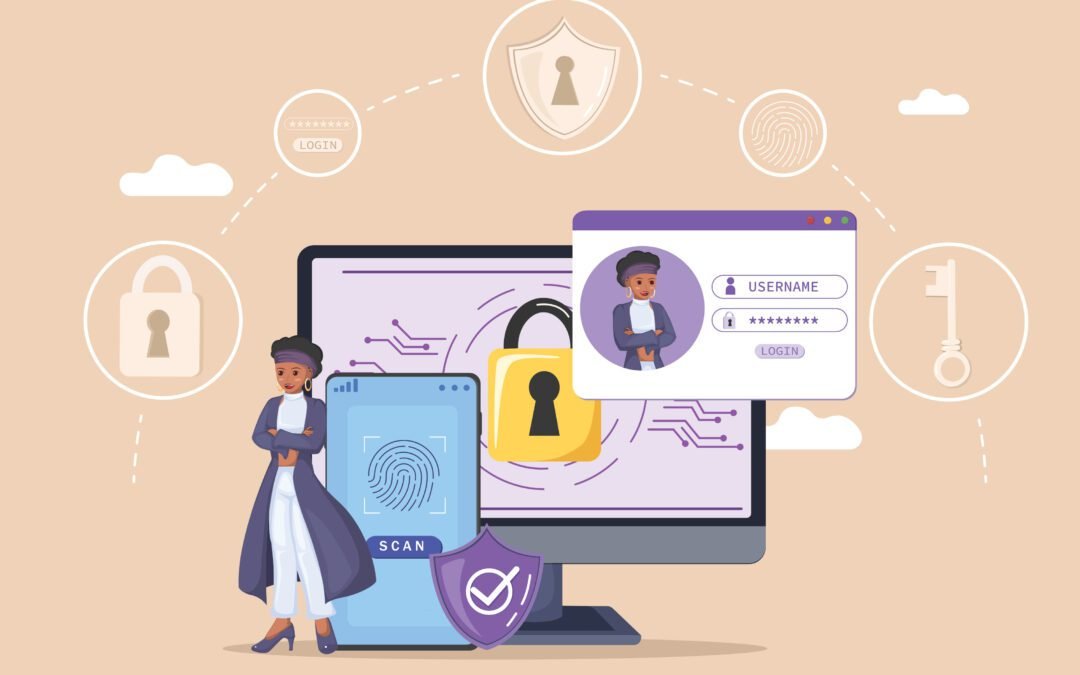
Access Control Best Practices start with a simple truth: you can’t protect what you can’t control. For business owners, executives, project managers, and decision makers across Metro Atlantaspanning North and Central Georgiathe right access strategy determines how safely people, property, and productivity move through your spaces. Atlanta Access Controls(AAC) is your local integrator for cloudbased and conventionalaccess control, video surveillance, alarm systems, gated entry, phone/entry intercoms, and endtoend lifecycleservices. AAC always provides free consultation, and our job is to translate Access Control Best Practices intoclear policies, codecompliant installations, and measurable outcomes.

Get started: 

Why DecisionMakers Choose a Professional Integrator (and Why It Pays Off)

Security is not a single productit’s a longlived program. A professional system provider like AAC alignsdesign, engineering, and operations so the business value is obvious: fewer outages, cleaner audits, strongerdeterrence, and faster response. Here’s how that translates to daily reliability and longterm ROI:

• Design & engineering:
Site surveys, code review, reader and lock schedules, credential strategy (cards,mobile, PIN, biometrics).

• Scalable architectures:
Onprem or cloudnative controllers scaled from one suite to multisite portfolios,with templates for rapid rollouts.

• Lifecycle services:
Preventive maintenance, firmware updates, health monitoring, and warranty management with defined SLAs.

• Interoperability:
Doors, gates, cameras, alarms, and intercoms integrated so events are captured, verified, and escalated automatically.

Trends Shaping Access Control Best Practices: Cloudfirst platforms, MFA at the door, zero trust alignment, and program governance. Adopt now to reduce complexity and improve resilience.

Access Control Policies and Procedures

Policies express who is allowed where, when, and under what conditions; procedures make those policies repeatable. Access Control Best Practices recommend writing policies in plain language, mapping them to roles, and automating enforcement.

1)
Define roles and zones: Map each door to a risk profile (e.g., public lobby vs. server room). Assign roles (Employee, Contractor, Vendor, Visitor) and time schedules.

2) Credential strategy: Prefer modern, encrypted formats (e.g., MIFARE DESFire EVx) and mobile credentials (BLE/NFC). Enforce unique IDs and expiration rules.

3) Least privilege by default: Start with no access and grant only what’s needed. Review quarterly and after org changes; document exceptions with approvers.

4) Change management: Tie access changes to HR/IT triggers so onboarding, role changes, and terminations update permissions automatically and promptly.

5) Audit and compliance: Perform scheduled reviews of door schedules, visitor logs, doorforced/held alarms, and egress testing. Keep evidence for audits.

    A reusable policy checklist accelerates adoption: Role matrix, Visitor rules, JoinerMoverLeaver (JML) procedure, Quarterly access review, and Emergency egress testing with documentation.

    Implementing MultiFactor Authentication for Enhanced Security

    Access Control Best Practicesincreasingly include multifactor authentication (MFA) at physical entry points.Combining two or more factors raises assurance and reduces the impact of lost or shared credentialswithoutcreating bottlenecks when engineered with the right hardware and reader flows.Common MFA factors at the door:

    • Something you have: mobile credential or secure card
    • Something you know: reader PIN or intercom keypad code
    • Something you are: fingerprint or face (with privacy controls)

    Practical patterns: highrisk rooms use Card + PIN during business hours and Card +Biometric after hours;visitor lobbies use onetime QR codes plus live video verification; mobilefirst programs add deviceposturechecks (screen lock, OS version) to mitigate risk.

      MFA (MultiFactor Authentication) pays off fastest in server/IDF closets: Pharmacies and medication rooms, and finance/HR records areas and in spaces where accountability and nonrepudiation matter most.

      Access Control for the Remote Workforce

      Remote and hybrid work shifted the perimeter to identity and devices. Employees, contractors, and vendors may receive mobile credentials, request access remotely, or approve visitors offsite. Access Control Best Practices for this model focus on identitycentric policies and contextual signals without sacrificing convenience.

      Best practices you can apply now:

      • Identitycentric rules: connect door permissions to IdP groups (Azure AD, Okta, Google).
      • Geofencing & timeboxing: credentials that expire or only work during scheduled shifts.
      • Zero Trust for admins: replace brittle VPN with ZTNA to reach cloud controllers securely.
      • Device posture: require screen lock, OS version, or MDM status before mobile unlock is allowed.
      • Remote assist: pair intercoms with video and a policy directory so staff can grant timeboxed access to vendors.

      Remoteready essentials: Justintime mobile credentials, visitor QR codes with automatic expiration, camera verification for exceptions, and dashboards that show who approved what, when.

      Addressing Common Access Control Challenges

      Here’s how Access Control Best Practices neutralize frequent problem areas:

      1) Stolen or shared badges → Mitigate with mobile credentials (device binding), PIN for sensitive areas, and tailgate detection via cameras.

      2) Orphaned credentials after terminations → Integrate HRIS/IdP so deprovisioning is automatic; run weekly unusedcard reports.

      3) Legacy VPN for administrators → Shift to ZTNA with shortlived tokens and perresource policies.

      4) Compliance and audits → Align your program to recognized frameworks; retain evidence and run quarterly drills.

      5) Scaling to new sites → Choose cloud controllers with templates for doors, roles, and time schedules.

      Quick Wins This Quarter: Enable timeboxed guest PINs, roll out mobile credentials to highrisk staff, automate JML from HR/IdP, and run a door schedule and role audit with AAC.

      How AAC Delivers: Design → Build → Run

      AAC’s delivery model ensures design intent survives installation and daytwo operations:

      1. Discovery & risk mapping: doorbydoor assessment and code review tailored to your industry and regulations.

      2. Solution architecture: cloud or conventional controllers, compatible readers/strikes, and camera/alarm integrations.

      3. Codecompliant installation: correct power supplies, lock hardware, lifesafety egress, and clean cabling.

      4. Policy & SOP buildout: role matrices, schedules, visitor workflows, and incident runbooks.

      5. Training & handoff: admin and guarddesk playbooks pluskey performance indicators (KPIs).

      6. Lifecycle & growth: monitoring, updates, warranty tracking; add sites and doors with minimal disruption.

      From Policy to Practice: Your First 30 Days with AAC

      Week 1: Risk and door inventory; quick wins such as schedule cleanup, disabling stale badges, and enabling alerts.

      Week 2: MFA proofofconcept on two highrisk doors; pilot mobile credentials for IT and Facilities.

      Week 3: Intercom workflow redesign (reception + afterhours); link cameras for visual verification of exceptions.

      Week 4: HR/IdP integration for automatic provisioning; configure an audit dashboard and boardready reporting.

      What You’ll Take Awayand How to Act with Confidence

      By applying Access Control Best Practices, you create a program that is easier to run, safer for people, and clearer to audit. You learned how policies convert intent into action, how MFA at the door curbs credential misuse, how identity‑centric controls enable remote work without chaos, and how to tackle common challenges with quick wins. The next step is simple: pilot cloud on one building, standardize credentials, treat intercoms as identity points, and measure what matters—tailgate alerts, orphaned badges, and time‑to‑deprovision. AAC designs, installs, and supports these systems across Metro Atlanta, so your security posture improves without slowing operations.

      Connect with Atlanta Access Controls (AAC)